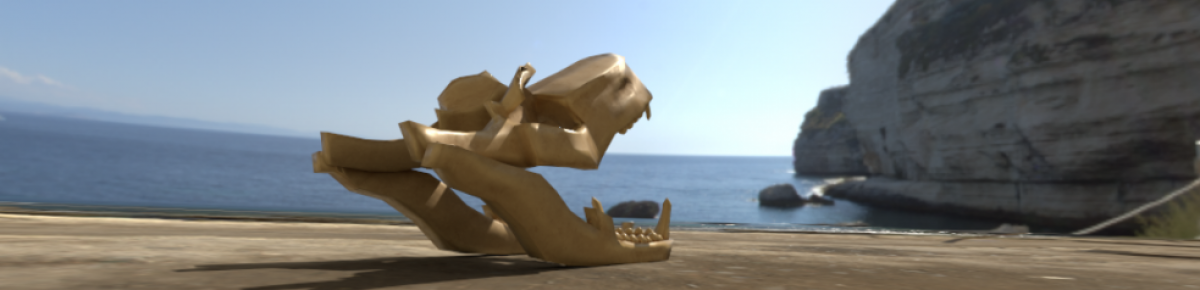
Yesterday, with Tony, I started drawing the art for my Pachinko Game. As you can see, I have gone for the space/sci fi theme. I created them in pixel art form and I will put them into my game soon.
Category: Uncategorized
My Character Development
Today, with Gary, I started creating a character on Adobe Fuse, a project that I appropriately named… Zombie. I messed around with the settings while creating my character and it made me think of the Sims character creation.
After creating the character I imported it to a program which allowed me to add animations to my character. After that I put it into Maya and I play blasted it to put it into this blog post.
[SEE BELOW]
<p><a href=”https://vimeo.com/241153206″>Zombie Animation</a> from <a href=”https://vimeo.com/user72252699″>Matthew Dickson</a> on <a href=”https://vimeo.com”>Vimeo</a>.</p>
Lamp
<p><a href=”https://vimeo.com/241028220″>Lamp</a> from <a href=”https://vimeo.com/user72252699″>Matthew Dickson</a> on <a href=”https://vimeo.com”>Vimeo</a>.</p>
Today I started animating a lamp moving – inspired by Pixar. I used animation blocking to make it work. Blocking is an animation technique in which key poses are created to establish timing and placement of characters and props in a given scene or shot. This technique is most commonly used in 3D computer animation. Blocking poses are not necessarily exclusively key frames.
Drawing Level Design

Last week I started to draw some environment to influence a decision on what type of background/theme I will have for my pachinko game. I started with putting in pictures from google on one layer and I reduced the opacity of that layer to allow me to trace the images on another layer. This was very enjoyable to see the drawings complete without the images from google appearing through.
VFX Project

Today, with Gary, I started working on an introduction to my portfolio using Adobe After Effects. I worked with the Keylight function (to remove the green screen background), Screen Matte- Clip White and Clip Black (To remove all of the white/grey from the white of the character and I used Alpha Matte to insert the background into the character. After all of that I duplicated my character, named it “Edge Mask” and messed around with the Screen Shrink/Grow and Screen Softness in Screen Matte to create a blur effect on it. This then allows me to mess with the settings in Screen Matte to show more or less of the character through the background. Then I added the extra detail of the Next Gen Logo, the background and the spaceship.
Ball Bouncing Animation

Today with Matt I animated a bouncing ball after I took reference from Pixar’s Luxo Jr. I learnt how to use the graph editor in the animation editors. This ball bouncing was used to use the Squash and Stretch which gives the illusion of weight and volume to a character as it moves. I hope to add something that makes the bounce of the ball a bit smoother in the coming weeks.
Luxo Jr. Animation Analysis
After watching the animation I realized how good it was for the year that it came out in. The ball animation was especially good because of the use of one of the principles of animation: Squash and Stretch, which gives the illusion of weight and volume to a character as it moves. Also, the wire movement is very well executed by moving, twisting and turning as the lamps move. Also the use of ARCS are great in the lamps to show the fluent arc motion when the lamps move or look in a different direction. This much detail suggests that a lot of time and effort went into this project. Throughout the whole animation all of it was fluently smooth and had a great flow.
Luxo Jr – https://www.youtube.com/watch?v=D4NPQ8mfKU0
Pachinko Machine


Today I improved my Pachinko Machine inspired game by adding the scripts above e.g. The movement of the goal, the ability to move and spawn in balls and for the goal to actually load the next level. The script for the goal to actually work isn’t working at the minute but next time I hope to get it working.
Double Exposure

Today, with Gary, I learned how to apply Double Exposure to a photo on Adobe: After Effects. I learned how to: use the pen tool to crop and cut out a part of the image that I wanted to use, add masks to my image, change the Track Matte to Alpha or Luma Matte.
The 12 Principles Of Animation
Disney’s Twelve Basic Principles of Animation were introduced by the Disney animators Ollie Johnston and Frank Thomas in their 1981 book The Illusion of Life: Disney Animation.
The 12 Principles Of Animation are: Squash and Stretch, Anticipation, Staging, Straight Ahead Action and Pose to Pose, Follow Through and Overlapping Action, Ease In and Ease Out, Arc, Secondary Action, Timing, Exaggeration, Solid drawing and Appeal.
SQUASH AND STRETCH – This action gives the illusion of weight and volume to a character as it moves.
ANTICIPATION- This movement prepares the audience for a major action the character is about to perform, such as, starting to run, jump or change expression.
STAGING- A pose or action should clearly communicate to the audience the attitude, mood, reaction or idea of the character as it relates to the story and continuity of the story line.
STRAIGHT AHEAD AND POSE TO POSE ANIMATION- Straight ahead animation starts at the first drawing and works drawing to drawing to the end of a scene. You can lose size, volume, and proportions with this method, but it does have spontaneity and freshness.
FOLLOW THROUGH AND OVERLAPPING ACTION- When the main body of the character stops all other parts continue to catch up to the main mass of the character, such as arms, long hair, clothing, coat tails or a dress, floppy ears or a long tail (these follow the path of action).
SLOW-OUT AND SLOW-IN- As action starts, we have more drawings near the starting pose, one or two in the middle, and more drawings near the next pose.
ARCS- All actions, with few exceptions (such as the animation of a mechanical device), follow an arc or slightly circular path.
SECONDARY ACTION- This action adds to and enriches the main action and adds more dimension to the character animation, supplementing and/or re-enforcing the main action. Example: A character is angrily walking toward another character.
TIMING- Expertise in timing comes best with experience and personal experimentation, using the trial and error method in refining technique. The basics are: more drawings between poses slow and smooth the action.
EXAGGERATION – Exaggeration is not extreme distortion of a drawing or extremely broad, violent action all the time. Its like a caricature of facial features, expressions, poses, attitudes and actions. Action traced from live action film can be accurate, but stiff and mechanical.
SOLID DRAWING- The basic principles of drawing form, weight, volume solidity and the illusion of three dimension apply to animation as it does to academic drawing. The way you draw cartoons, you draw in the classical sense, using pencil sketches and drawings for reproduction of life.
APPEAL- A live performer has charisma. An animated character has appeal. Appealing animation does not mean just being cute and cuddly. All characters have to have appeal whether they are heroic, villainous, comic or cute.